Data collection, screening & reporting

Research & Reporting

Two practical ways to put analysis to use: an interactive screener and a generated Excel report.

Interactive screeningAutomated Excel reporting

Selected work

Explore the analysis. Work with the report.

These examples use independent saved project outputs: an October screener result and an August Barchart workbook. They demonstrate two ways to make analysis usable, rather than a single connected dataset.

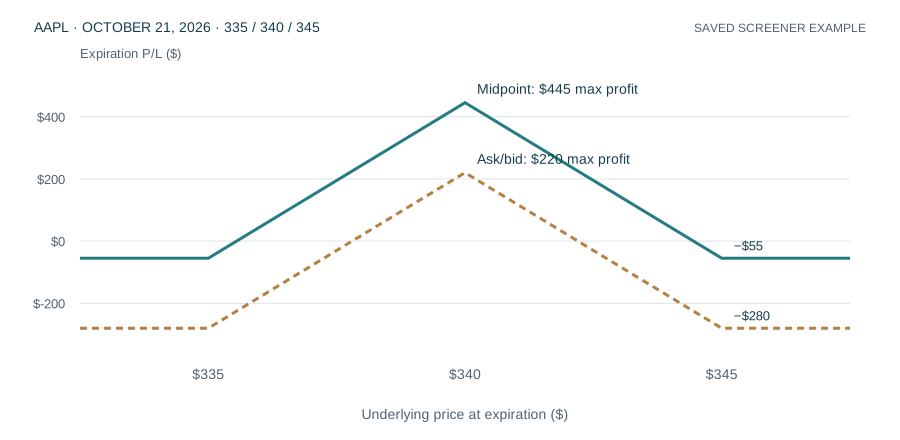
Saved AAPL butterfly estimates: midpoint max profit $445 and ask/bid max profit $220, before fees
Actual screener snapshot · October 8, 2026
Expiration payoff estimates · 100-share multiplier · Before fees

Interactive screening

Butterfly Research Explorer

Compare 26 AAPL butterfly candidates across seven expirations. Select a candidate to inspect its payoff shape and compare midpoint and ask/bid debit estimates.

The example makes an important assumption visible: changing the debit estimate changes both the cost and the maximum reward/risk.

Explore the butterfly results →
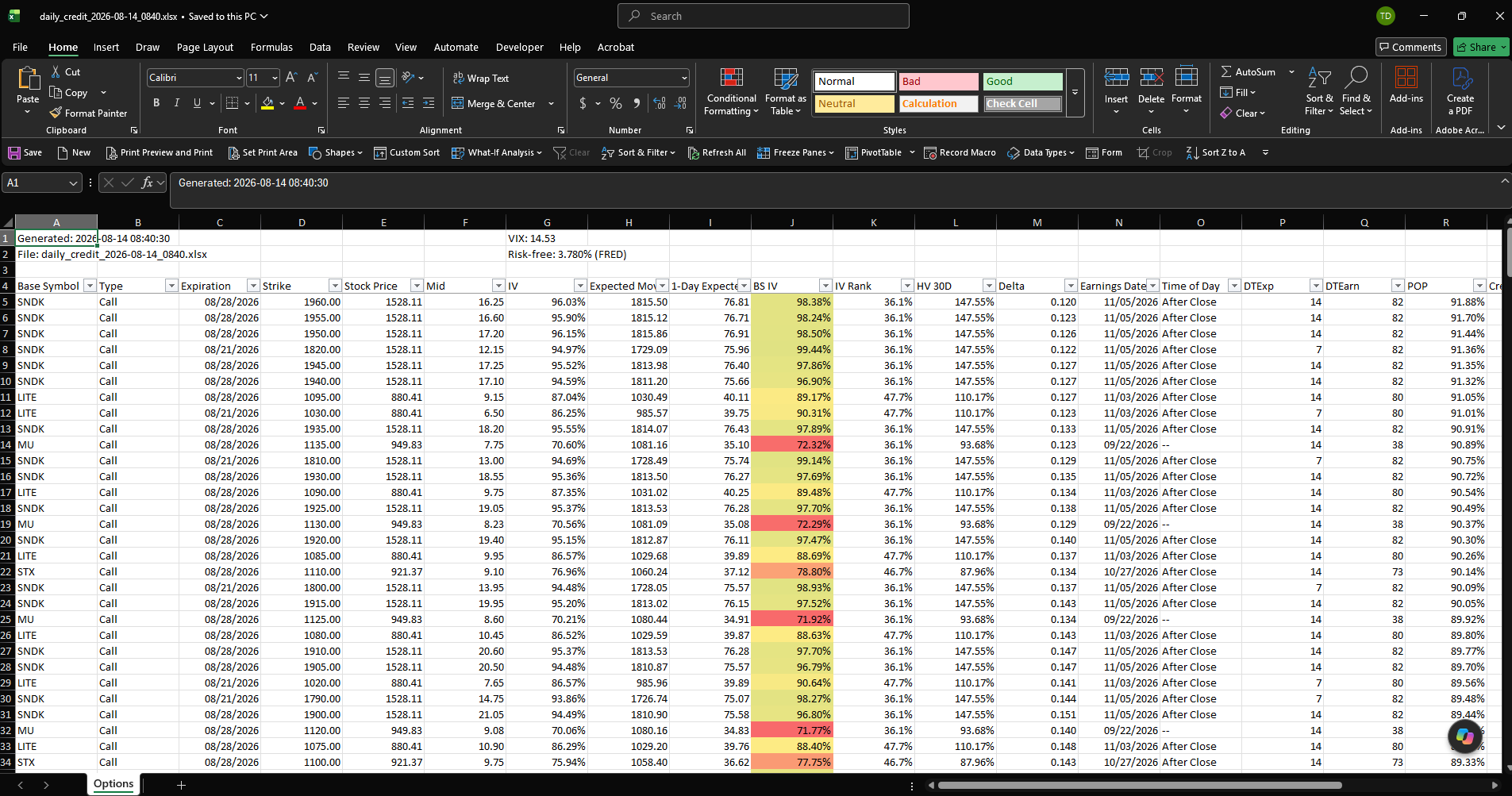
Actual generated Excel report with filterable columns and highlighted volatility values
Actual report example · August 14, 2026
315 contract records · 25 symbols · Two expiration dates

Automated reporting

Automated Excel Reporting

A generated workbook combines contract details, pricing observations, calculated measures, and visual highlighting in a familiar working format.

Explore a filterable excerpt from the saved report and see how the worksheet brings detailed results together for review.

Explore the Excel report →

The challenge

Start with a usable foundation.

Research often starts with repeated downloads, spreadsheet preparation, and manual filtering. When those steps vary from one run to the next, comparisons become harder to reproduce.

The work

What SOLLUS built.

The research tools and Barchart reporting workflow collect market observations, apply defined analytical criteria, and prepare outputs for review. The butterfly explorer and Excel report show how those outputs can become an interactive comparison or a recurring working report.

Gather from multiple sources

Collect observations through dedicated source workflows while retaining source fields and retrieval context.

Apply consistent criteria

Use defined screening settings to narrow large datasets to relevant records.

Produce reviewable outputs

Generate structured results and coverage reports for subsequent analysis.

Inside the workflow

From observations to something you can review.

A view of the process

Workflow illustration · Describes the project approach.

01

Source observations

Collection workflows

02

Structured records

Preserved context

03

Screening rules

Consistent criteria

04

Reports & exports

Human review

Which records meet the selected screening criteria?

Where is historical coverage incomplete?

What information needs a closer look before a decision?

Keep exploring

Your data, your questions

Bring a problem you want to understand.

Talk with SOLLUS about building a clearer view of your data or simplifying the work that prepares it.

Tom DabbsPresident | SOLLUStom.dabbs@sollus.us757-255-8547