01 / Filter the results
Column filters let the reader focus on a symbol, contract type, expiration, or other field.
Automation & reporting
A generated Excel workbook brings observations, calculated measures, and visual highlighting into a familiar format for review.
A practical deliverable
This report combines contract details, pricing observations, volatility measures, and calendar context. Filters and conditional formatting help the reader work through the information.
August 14, 2026 · Generated at 08:40:30
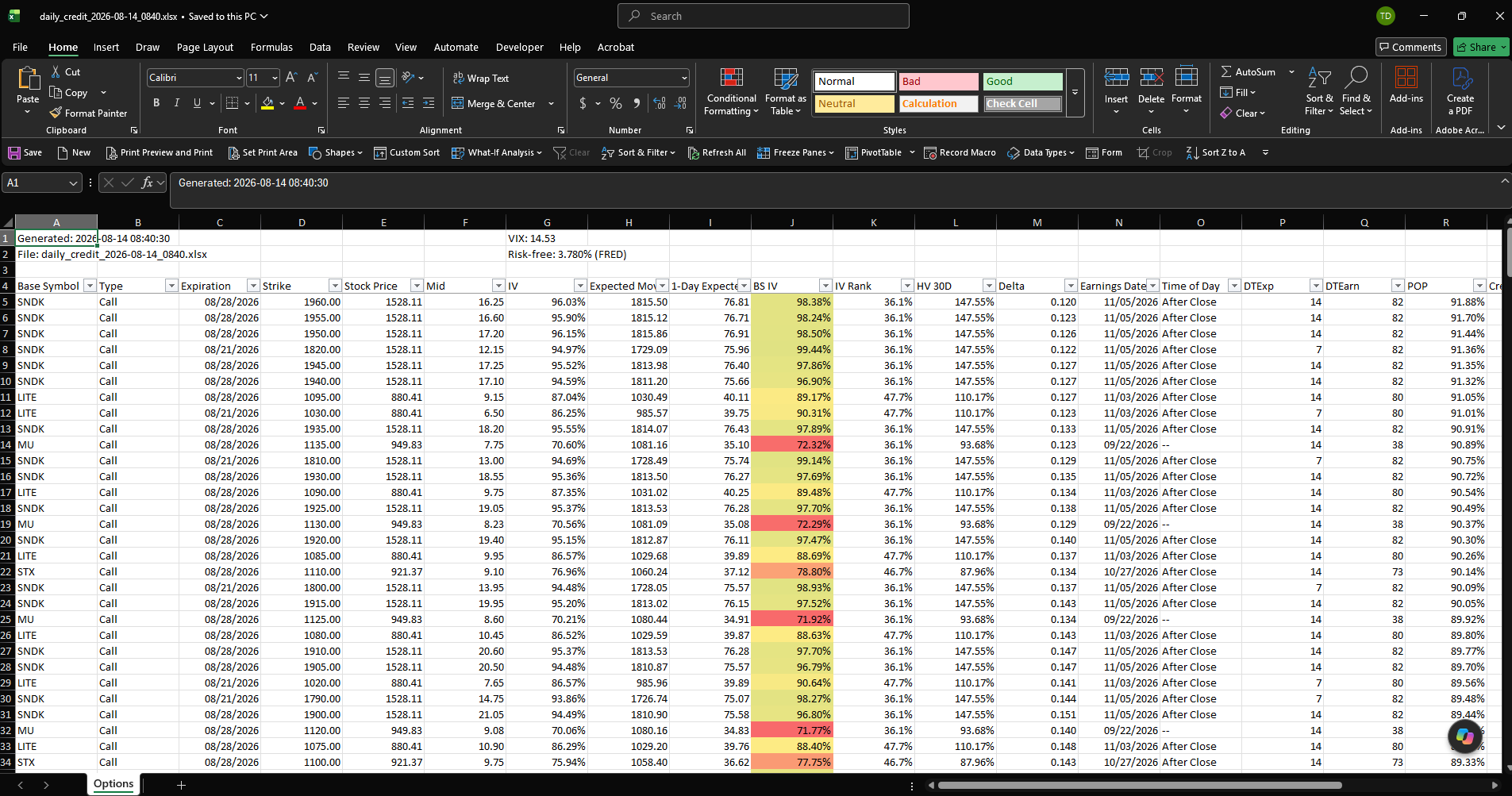
Column filters let the reader focus on a symbol, contract type, expiration, or other field.
Market observations and calculated values sit together, making differences easier to inspect.
Conditional formatting in the BS IV column provides a visual cue for reviewing values.
Explore the report
This browser preview uses values from the same saved workbook. Select a symbol or contract type to see a focused excerpt.
| Symbol | Type | Expiration | Strike ($) | Mid ($) | IV (%) | BS IV (%) | Delta |
|---|
The work behind the worksheet
The reporting workflow brings captured market information into a structured workbook with a generation timestamp, defined columns, filters, and calculated measures. The output gives the reader a consistent starting point for each review.
Two ways to use the analysis
The Excel report makes detailed results available in a familiar working format. The butterfly explorer offers an interactive way to compare candidates and inspect the effect of different debit estimates.
Simplify recurring reporting
Talk with SOLLUS about bringing your inputs, calculations, and reporting steps into a more consistent workflow.